Talk with your Data. Make Smarter Reports
Worx-AI is your new Report assistant. Ask questions in plain language and get quick, clear answers—no more digging through spreadsheets.
Benefits :
- Generate custom graphs and tables and simply copy paste it into your worximity business reports.
-
Save time on reporting
Powered by a Large Language Model (LLM), it understands ANY language and answers questions like:
-
“Create a summary of my production for last week.”
-
“Get the OEE of all products last week per Production Unit.”
Data Used by Worximity AI to Generate Answers
-
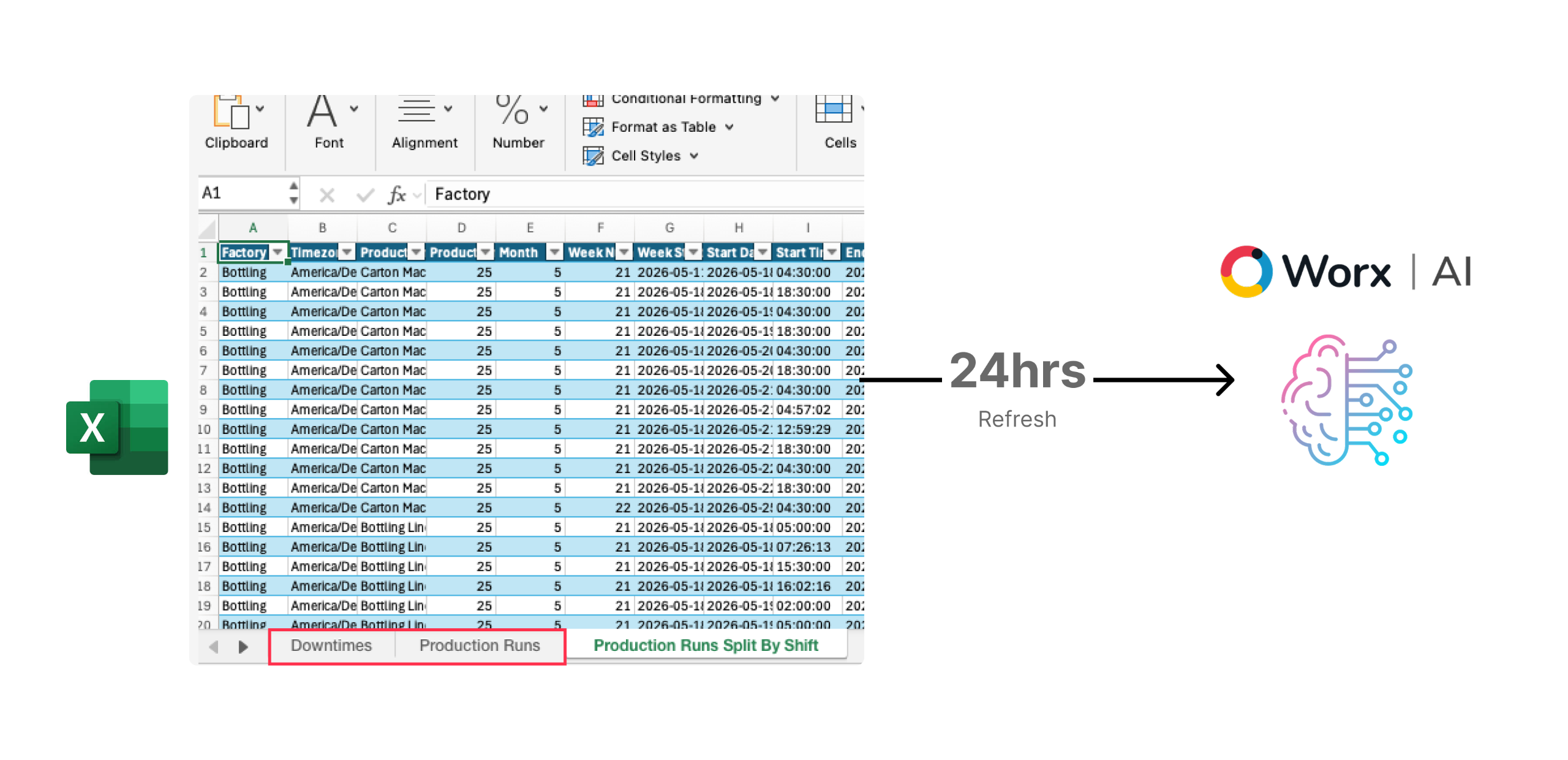
Uses the same data available in the Excel Data Export (Downtimes and Production Runs).
-
Includes information up to the last 24 hours.
That means It can only answer questions based on the data available to it and cannot access live metrics or system configuration data.
Our Worx-AI is built on a core principle: your data belongs to you and must remain private.
Unlike popular generative AI platforms trained on public data, our technology is entirely grounded and optimized using your own production data.
1. Start with an Action Verb
Begin your question with an action word that matches what you want to do:
-
Data Retrieval: Use verbs like “Retrieve,” “Get,” “Fetch,” “Calculate,” or “Compute.”
-
Insight or Analysis: Start with “Analyze,” “Explain,” “Understand,” or “Interpret.”
-
Visualization: When using the Chart Builder, begin with “Draw,” “Plot,” or “Visualize.”
2. Be specific with context
The more details you provide, the better the AI’s answer. Always mention the line, machine, shift, or time range.
Example:
❌ Too vague: "Show me all data"
✅ Specific: "Show downtime reasons for Packaging Line in October"
3. Insights Depend on Your Data
The AI can only provide meaningful insights based on the dataset you load. Be aware that results will vary depending on what data is available..
Example Workflow:
-
Retrieve data:
"Get downtime durations and causes for Line 1 last week."
Analyze data: "Explain the top causes for this period."
4. Ask One Question at a Time
Related to our previous tip, avoid combining multiple requests in a single prompt. Remember, First, retrieve the right data, then ask for insights.
Example:
-
❌ Multiple:
"Compare Line 1 and 2 and tell me how to improve them." -
✅ One:
"Compare Line 1 and 2 OEE in November."
5. Use data terms from Tile+ or Excel export
The AI understands fields like OEE, Downtime, Reject Rate, etc. *Performance Loss causes are not yet available*
6. Use a New Chat
The AI understands fields like OEE, Downtime, Reject Rate, etc. *Performance Loss causes are not yet available*
Features You Can Use
Starters
Quick, ready-made prompts to help you start exploring your data right away. Click on the buttons below the chat window and select one of the starters to instantly run a query — perfect for first-time users.
Prompt Window
Ask questions about your production data directly. Worx-AI remembers your questions during a session, so you can refine or add details as you go.
Prompt History
Revisit or continue past sessions anytime. Access them from the top left of your screen.
How to access
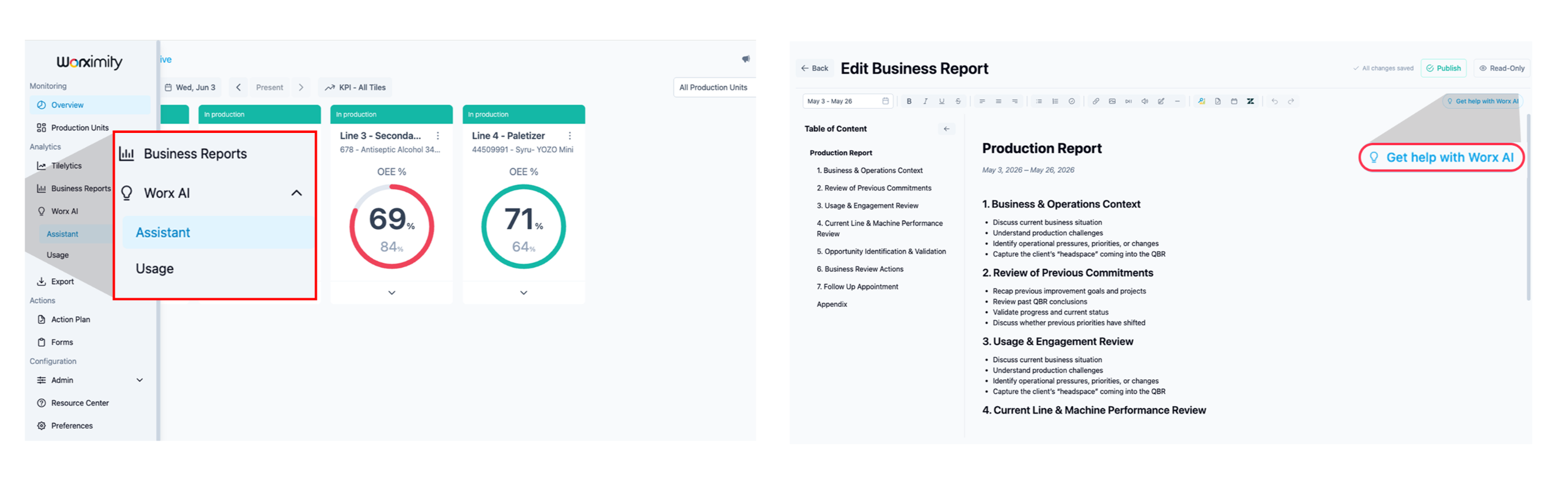
Worx-AI is available in two places:
1. In the left navigation menu, whole page Chat option
2. Or into the Worximity Business Reports as a chat window within.
Track Usage
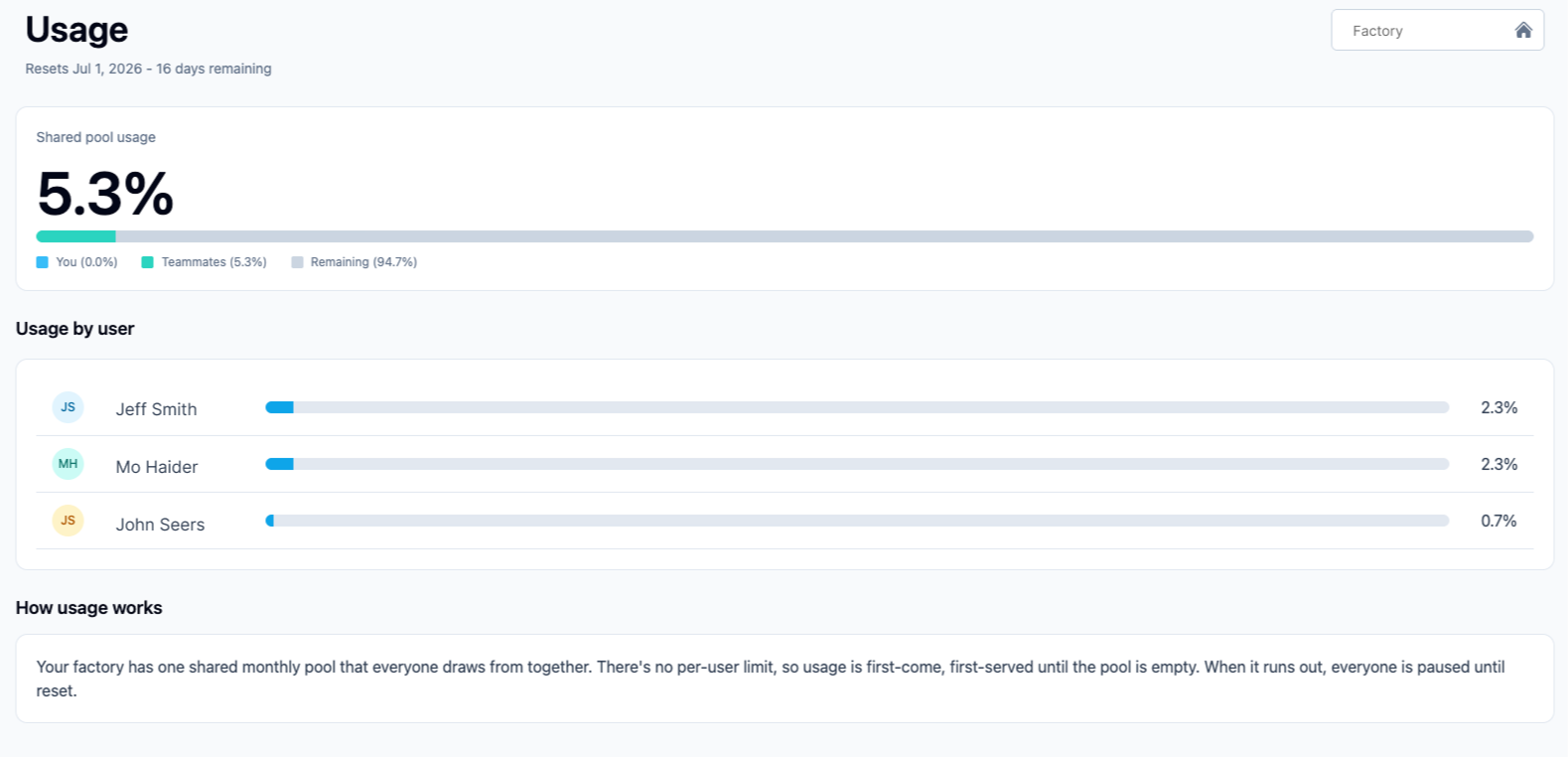
AI usage is shared at the factory level.
All users with AI access draw from the same monthly request pool on a first-come, first-served basis—there is no individual allowance.
Each prompt counts as one request, regardless of its length or the size of the response.
Usage is displayed as a percentage of the monthly allocation rather than a request count. When the pool is exhausted, AI access is paused for all users until the next monthly reset. A seat cap determines how many users can access AI, and an admin assigns those seats. Seats only grant access—they do not provide separate usage limits, as all seated users share the same factory-wide pool.