
Smart Target Rates
Setting up every detail for products/SKUs can take time, and you may not have all the information from the start. Whether it's due to missing data, the absence of a monitoring system, or simply an overlooked parameter affecting your rate, performance, and OEE metrics — don't worry, that's why we developed Smart Target Rates.
What is it?
Smart Target Rate is a feature that improves performance accuracy by automatically calibrating the target for all products and SKUs that were previously set with a default value of 1 unit/hour. This ensures more accurate and reliable production metrics.
This feature can be activated when performance consistently exceeds 300%, ensuring more accurate metrics and eliminating misleading performance percentages.
Note: This feature is activated per production line or equipment. It can be activated by request by Worximity team.
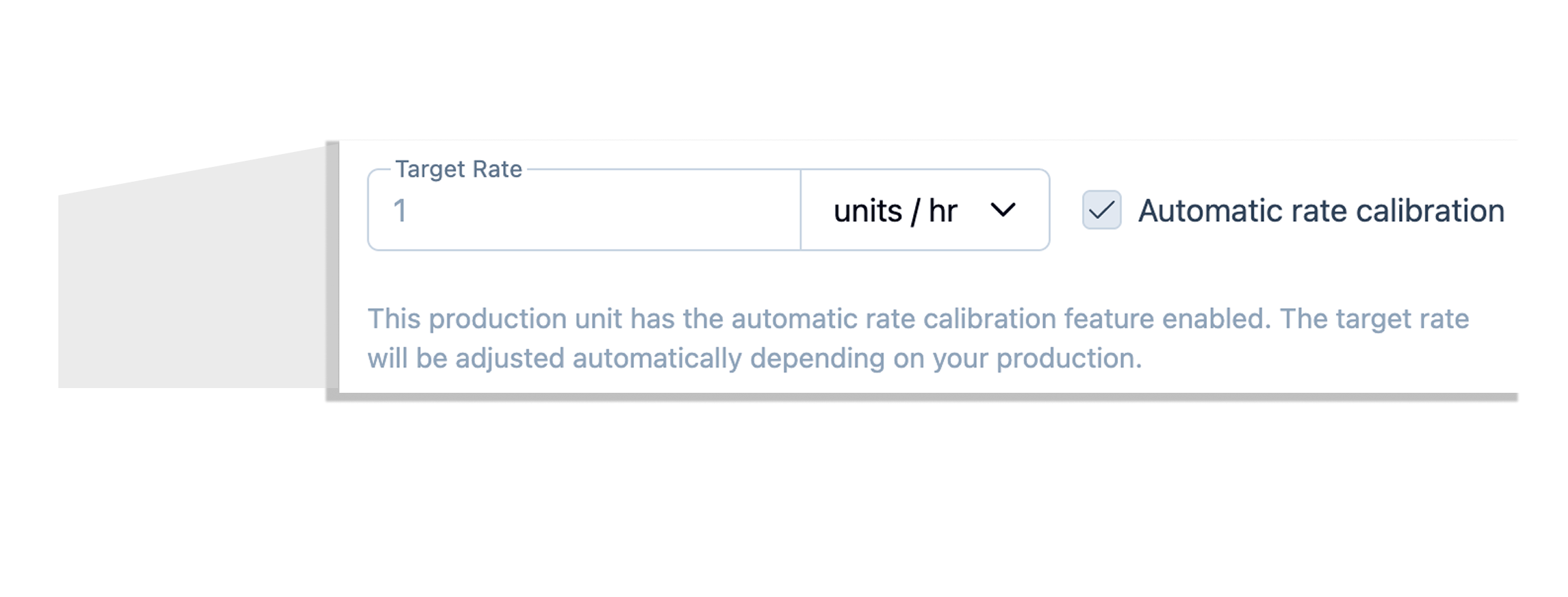
The feature stays active as long as it's enabled. This means that if you produce that same product again the next day and the defined conditions are met again, the system can recalculate the target cadence again. It will only stop doing so once the option is manually disabled.
How are the targets calculated?
Our platform uses an algorithm to automatically update target rates for products on a production line.
Once the feature has been activated, the update only triggers when specific conditions are met, ensuring the calculation is based on reliable and representative production runs.
Each Production Unit (PU) can configure three parameters that define when a target rate correction should occur:
- Minimum run operating time (minutes): minimum 60 minutes.
- Minimum run availability (%): minimum 35%.
- Minimum run performance (%): minimum 300%.
The algorithm works as follows:
- It analyzes production metrics per run, per shift.
- For a target rate update to trigger, all three conditions must be met simultaneously.
- If any threshold isn't reached, no update is made.

✅ Example:
- Product rate target: 200 units/hour.
- The machine is currently producing 800 units/hour (400% performance).
- The performance target is set at 80%.
So the Target will adjust to:
800 ÷ 0.80 = 1000 units/hour.
The product's target rate will be updated to 1000 units/hour.
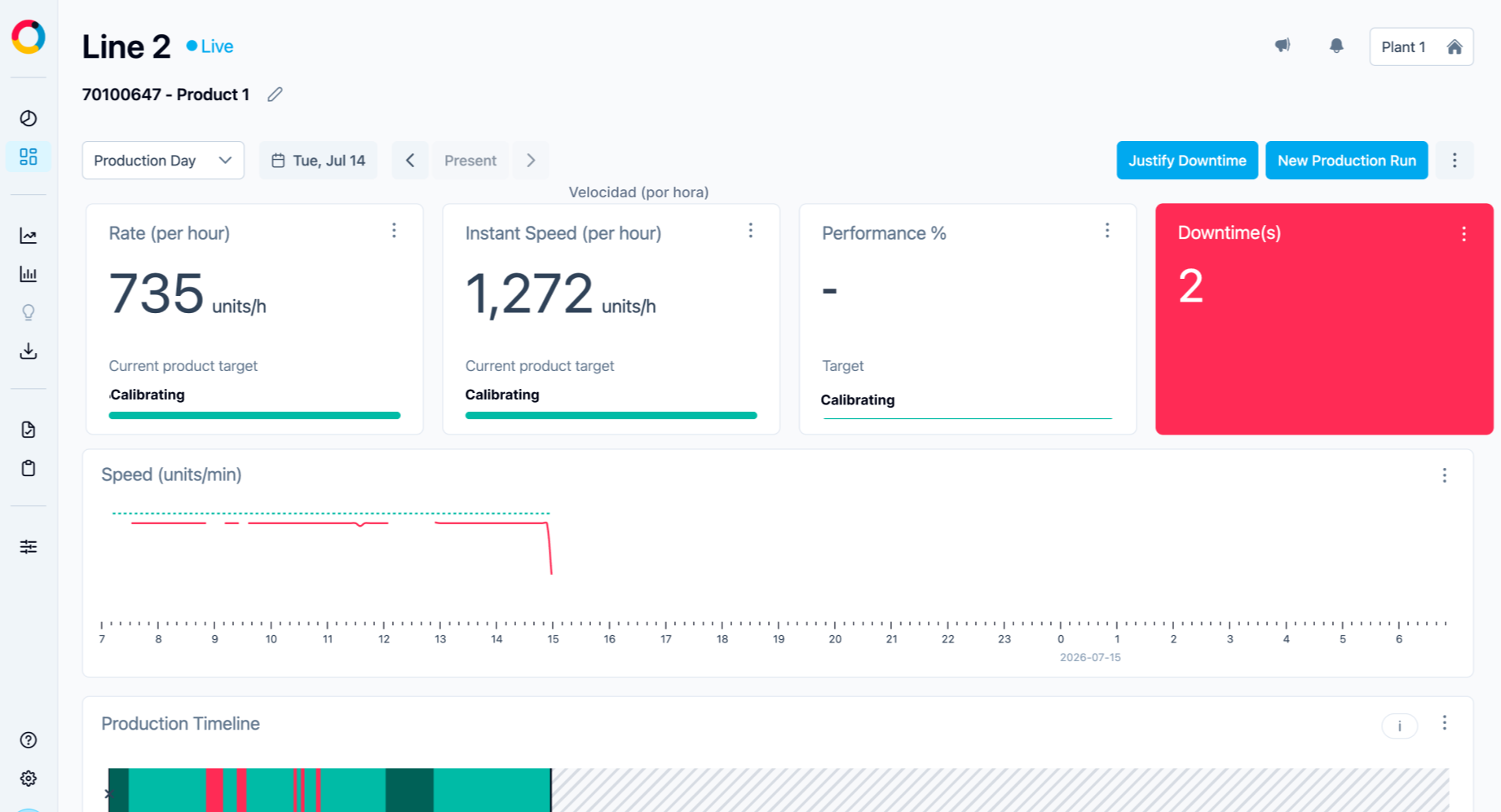
Since the Rate target impacts Performance and OEE metrics, Tile+ will temporarily show a dash (–) and the message "Calibrating" while it adjusts the data. Don't worry: your accurate metrics will appear once calibration finishes (it can take about 60 minutes), with no data loss.
Meanwhile, the Rate and Speed cards will keep showing real-time data — only the target will be in the process of adjusting.
The OEE card will also update to let you know the SKU's metrics are being calibrated.
🚀 Benefits
By eliminating misleading metrics caused by default or overly conservative targets, you can focus on continuous improvement and make data-driven decisions that boost your production performance.
Smart Rate is the first step within the Performance Loss feature, which lets you visualize and explain when a product is operating below its target directly on the Tile+ timeline.
