
Display production in currency values
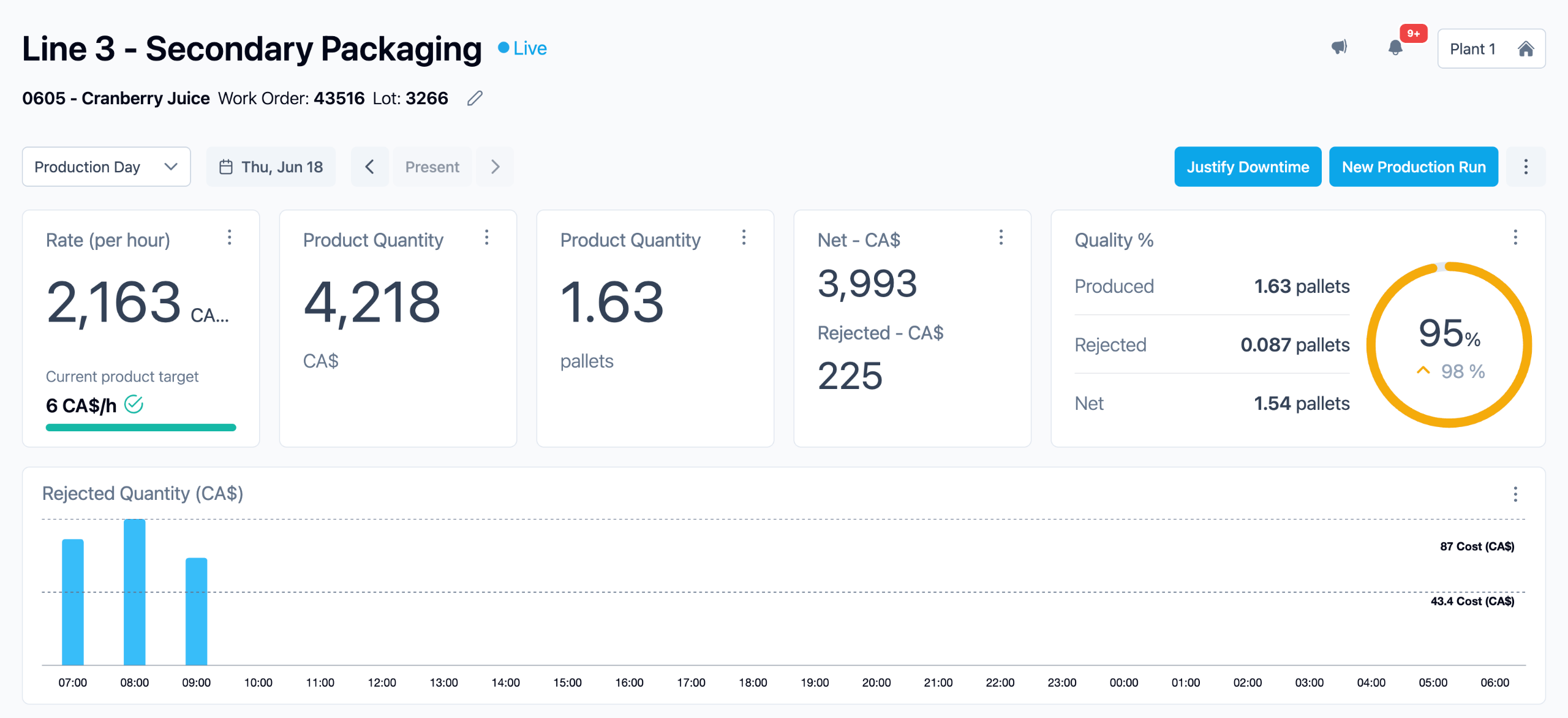
Tile+ now supports currency ($, Euro, peso,etc.) as a selectable unit. Configure a unit price per SKU and instantly convert any KPI — rate, speed, quantity — into financial terms. Perfect for Business Reviews storytelling and ROI conversations with Executive management.
How it works:
A currency unit stacks on top of your existing unit conversion chain. Define a display name and a unit price per SKU and the platform multiplies quantity × unit price wherever that KPI appears — on tiles, the dashboard, and Excel exports.
How to configure it
1. Open the product page
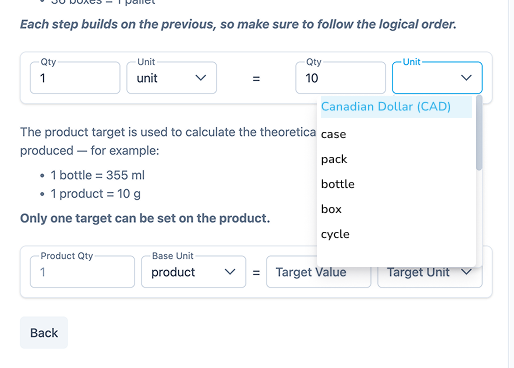
From the Admin menu, click Products. Select the SKU you want to configure. Navigate to the Units of Conversion section inside the product page.
You will see different conversion types: Counted Units Conversion (bottles, cases, pallets…) and Weight / Length / Volume and Product Cost at the bottom of the options.
2. Select the base unit — bottles, boxes, or pallets — that will serve as the basis for currency conversion.
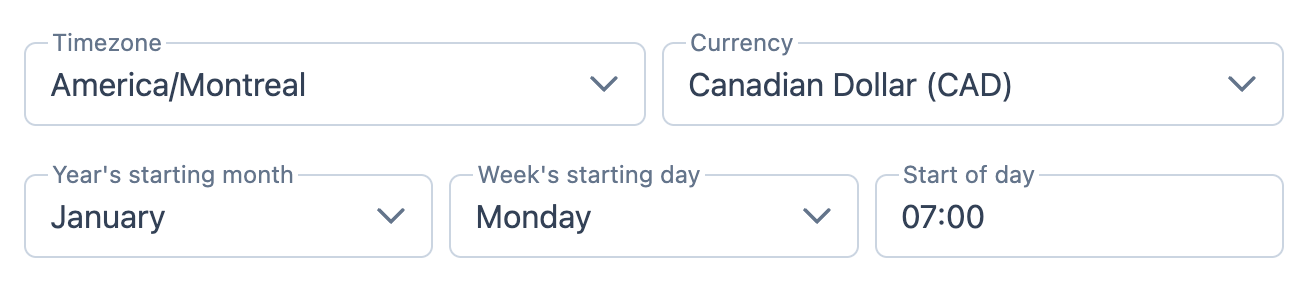
Note: The system uses the currency configured for each factory by default. This can only be changed in the Factory parameters. Multi-currency conversion (e.g., CAD to USD) is not supported.
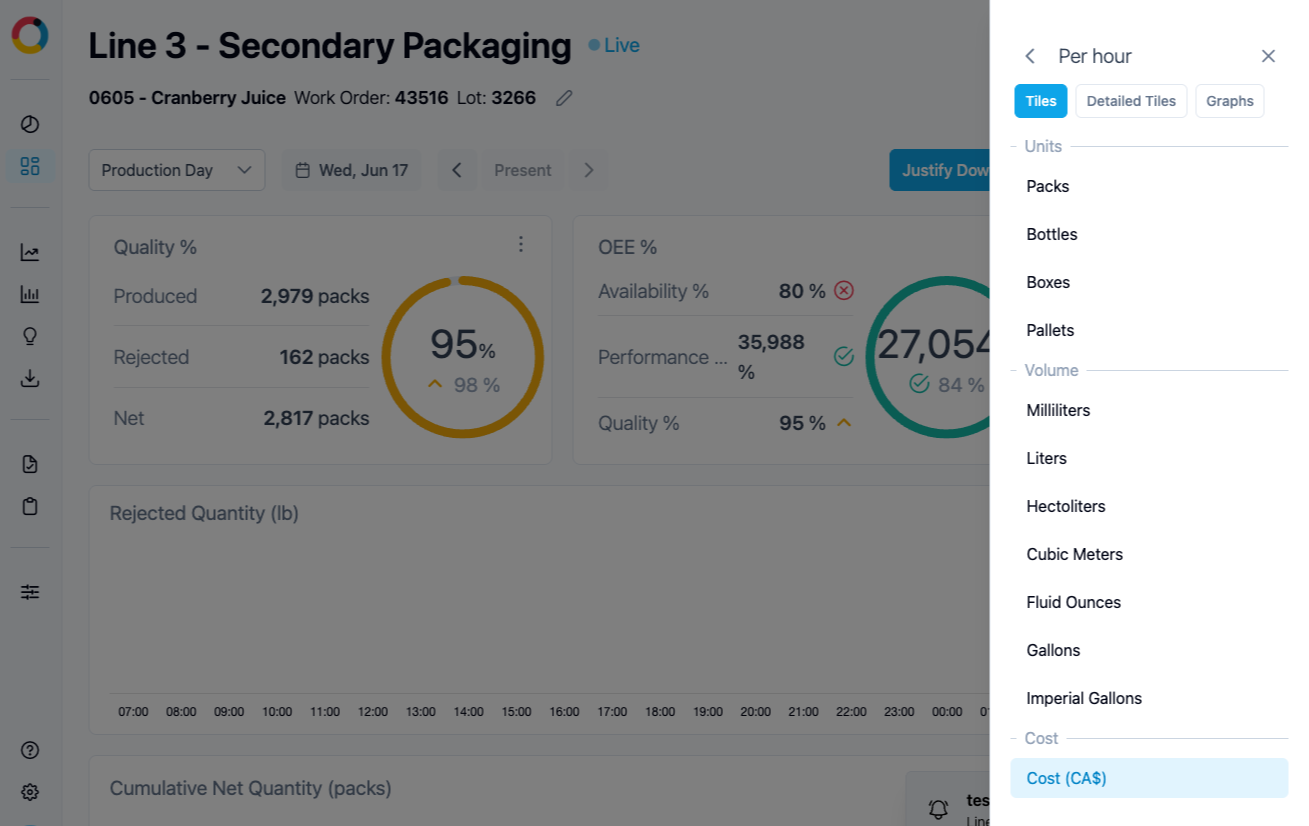
3. Select the $ unit on the line dashboard
Once configured, the $ option appears in the KPI unit selector alongside Rate, Speed, Quantity, and Completion. Select it to switch all tiles to monetary display.
Where currency values appear
The $ unit behaves identically to any other unit in the system. Once selected, it propagates across:

Line dashboard tiles
All Quantity or rate KPI tiles update to show monetary values in real time.

Overview & graphs
Charts and trend graphs reflect the selected currency unit.

Excel exports
Downloaded reports include the $ column with your configured unit price.

QBR & reports
Share financial impact using the same live data from the platform.
